How to Track Your GGPoker Tournament Results (Free)
If you play MTTs on GGPoker or Natural8, you probably have dozens of tournament summary ZIPs sitting in your downloads folder. Here's how to turn them into a full dashboard in under a minute.
Step 1 — Download Your Tournament Summaries
GGPoker lets you download your tournament history as ZIP files. Go to My Tournaments in the GGPoker client, select a date range, and hit Download. You'll get a ZIP containing one text file per tournament.
Natural8 uses the same format — same steps, same ZIPs.
Step 2 — Sign Up at PokerViz (Free)
Head to pokerviz.com/signup and create an account. No credit card, no trial period — everything is free.
Step 3 — Upload Your ZIP
Click Upload in the sidebar, drag and drop your ZIP file, and wait a few seconds. PokerViz parses every tournament automatically — buy-ins, winnings, placements, rake, field size, speed, satellite status, everything.
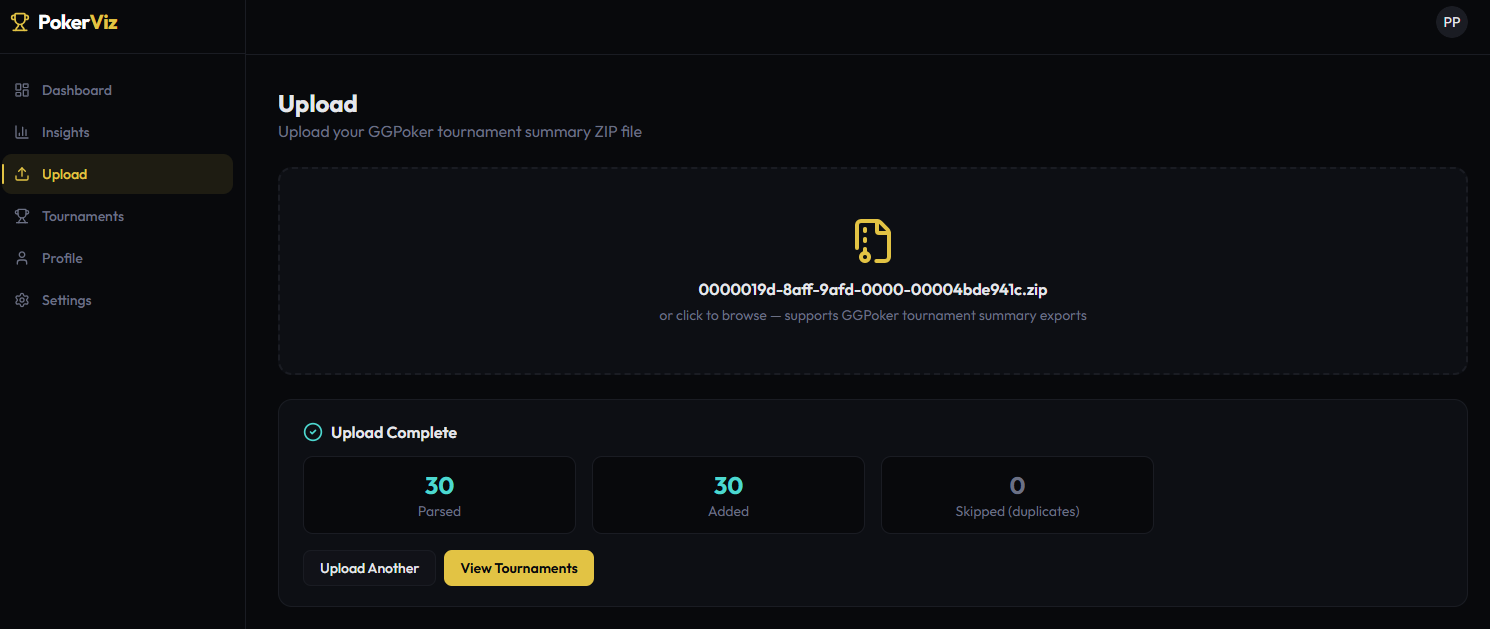
Upload complete — 30 tournaments parsed in seconds
Step 4 — See Your Dashboard
After upload, your Dashboard shows the big picture instantly:
- Total tournaments played
- Profit/Loss — in USD, CNY, or combined
- ROI %
- ITM rate
- Bankroll graph — cumulative P&L over time, see every swing
- Recent tournaments — quick list with P&L per game
Toggle between USD ($) and CNY (¥) if you play both currencies. The combined view converts everything to USD automatically.
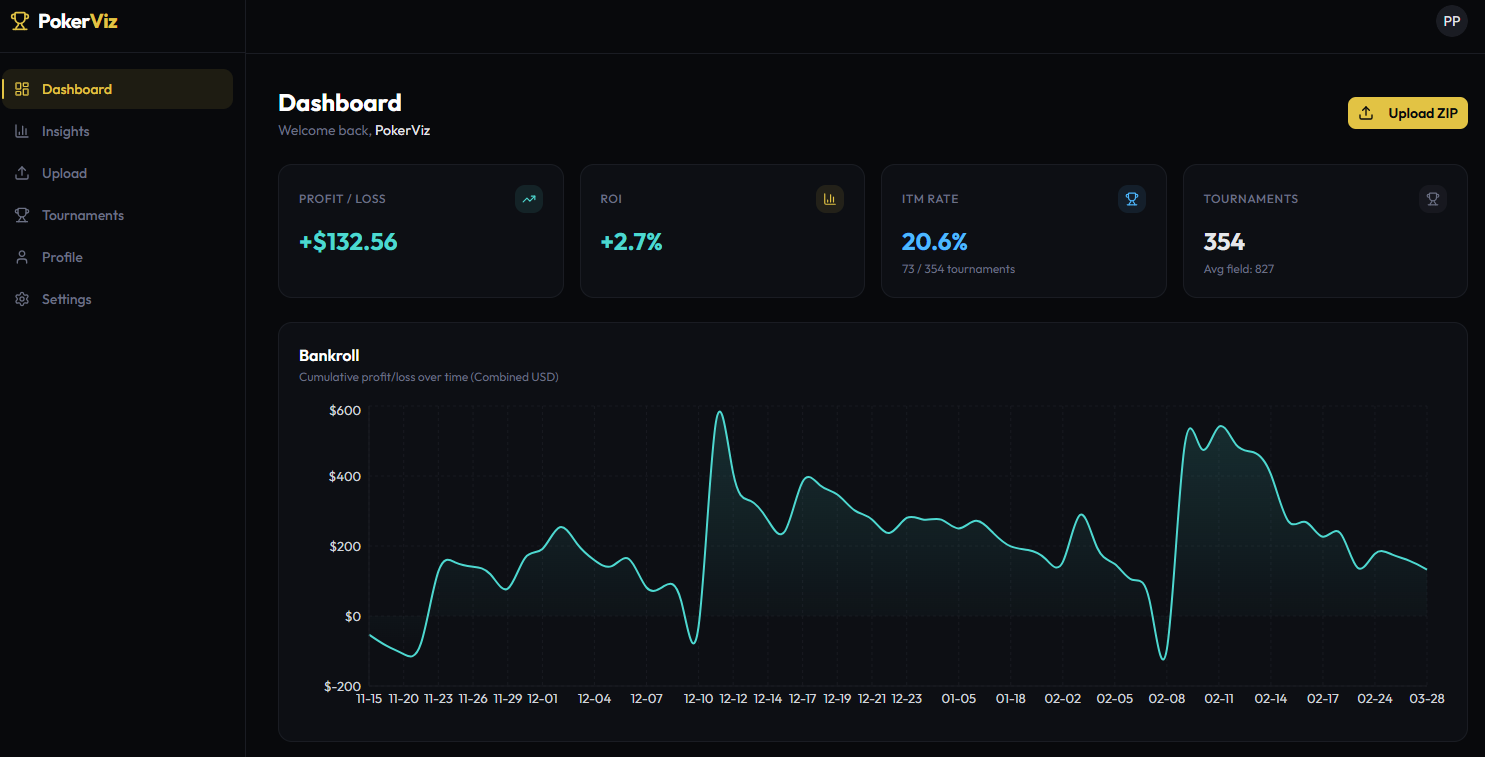
Dashboard — 354 tournaments, +$132 profit, bankroll graph with every swing
Step 5 — Go Deeper with Insights
The Insights page is where it gets interesting. This is where you find out why you're winning or losing:
Monthly P&L
See which months printed and which ones hurt. Spot seasonal patterns.
Buy-in Tier Breakdown
Are you more profitable at $5 or $25? Most players have no idea — and it matters.
Day & Time Analysis
When do you run best? Monday evenings? Saturday mornings? The data will tell you.
Speed Breakdown
Regular vs Turbo vs Hyper — which format is your edge?
Field Size
Do you crush small tables or big fields? Check your ROI by tournament size.
Satellite Efficiency
How much have you spent on satellites? How many tickets did you win? Are they actually +EV for you?
Rake Analysis
See your profit with and without rake. Know exactly how much you're paying to play.
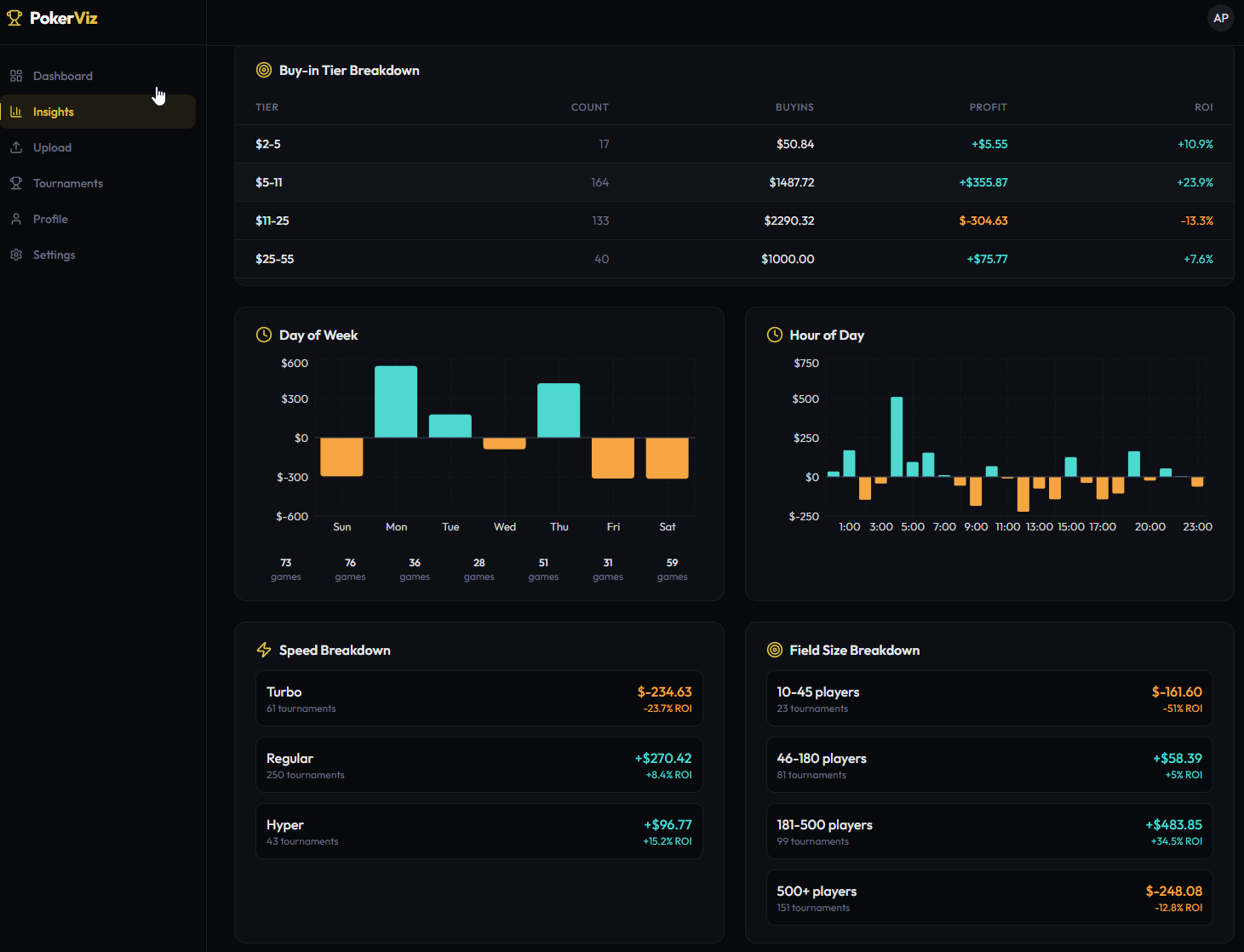
Insights dashboard — buy-in tiers, day/time analysis, speed & field size breakdown
Export Your Data
Need the raw numbers? Hit Export CSV and download your entire tournament history as a spreadsheet. Use it in Excel, Google Sheets, or whatever you prefer.
FAQ
Is it really free?
Yes. Every feature, no limits, no credit card. Free forever.
What poker sites are supported?
Currently GGPoker and Natural8 (same network, same format). More networks coming based on demand.
Is my data safe?
Your data is yours. We don't share it, sell it, or show it to anyone. Each account only sees their own tournaments.
Can I upload multiple ZIPs?
Yes. Upload as many as you want. Duplicates are automatically skipped.